Low Range Offroad 4x4 Controls
Keyboard, mouse, and controller basics for MTBAce Studios' technical trail sim on Roblox.
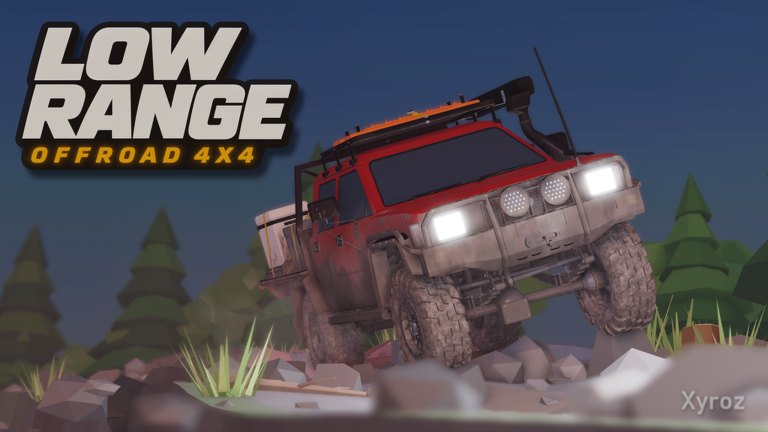
This controls guide for Low Range: Offroad 4x4 on Roblox explains how to drive the truck the way the game wants: slow, deliberate, and set up for the ground under the tires. MTBAce Studios lists keyboard, mouse, and controller support. Exact glyphs can move during Early Access, so always prefer the on-screen prompt in your build. Community beginner videos still agree on several high-traffic bindings that most players learn first — we label those clearly as community-reported.
If you have not finished a calm first trail yet, skim Getting Started first. When you are ready to tune the truck, jump to Truck Setup. Recovery inputs matter most with Winch Guide. Fuel discipline pairs with Fuel and Checkpoints. All of these sit under the Guides Hub.
Input devices that work
You can play with keyboard and mouse or with a controller. Pick one device for a full stage instead of swapping mid-obstacle. Camera comfort matters as much as throttle: if you cannot see the exit of a rock step, you will guess — and guessing digs ruts. On a controller, practice feathering throttle before you enter mud. On keyboard, practice releasing keys fully so you do not “accidentally” keep spinning when you meant to stop.
Server size is 20. Voice chat is not the focus of this page; driving clarity is. Whether you are solo or helping friends, the same control habits apply: stop on purpose, reverse on purpose, and change gear mode before the ledge — not after the front bumper is already hanging.
Engine, throttle, brake, and reverse
Community guides commonly start the engine with R. Confirm that binding in your session. Once the truck is alive, treat throttle as a tool for placing tires, not a challenge to hold at maximum. Brake to stop where you choose on easy ground before you trust yourself on a slope. Reverse is a dedicated gear mode in the selector, not a hidden second throttle. If you need to back away from a bad line, select Reverse deliberately, look behind, and move slowly. Panic reverse into a stump or a friend is still a crash.
Practice loop on flat ground:
- Roll forward a truck length and stop exactly on a landmark.
- Select Reverse, back the same distance, stop again.
- Turn gently left and right without tire scream.
- Repeat until stop and reverse feel boring.
That boring loop is the skill that saves winches later.
Gear modes: Reverse, Neutral, Automatic, L, L+
Low Range Offroad 4x4 exposes a gear selector with modes that community videos consistently name: Reverse, Neutral, Automatic, L, and L+. Automatic is fine for easy connectors between obstacles. When you need crawl control — placing a tire on a ledge, easing into soft mud, or creeping a root — switch into low range before the obstacle, not after the truck is already light on one corner.
L and L+ exist so you can approach slowly enough to see whether the tires climb or slip. If you cannot place the tire where you want it because the truck lunges, you are usually in too “fast” a mode for that moment. Neutral is useful when you need the truck to sit still while you think, adjust camera, or wait for a friend to clear. Reverse we already covered: use it as a planned exit tool.
Do not mash between modes while airborne or mid-rut without a reason. Change mode on stable ground when you can. Full decision trees for when low range beats Automatic live on Truck Setup.
Community-reported setup keys
Official store copy tells you to air down tires, lock the diffs, and drop into low range when the trail gets hard. It does not print every key in the marketing blurb. Widely shared beginner guides report:
- 4 — adjust tire pressure. Press to start airing down, watch the indicator (often bottom-left), and press again when you reach the mud-appropriate mark before entering soft ground.
- K — differential lockers. Engage when a wheel is spinning uselessly and you need the driven wheels to share torque through a stuck section.
Treat these as community-reported Early Access bindings. If your HUD labels a different key, use the HUD. The ideas — lower pressure for contact patch on soft ground, lockers when one wheel wastes torque, low range for crawl — stay true even if glyphs move.
More context, including when not to leave lockers and soft tires on forever, is in Truck Setup.
Winch-oriented control habits
Winch specifics belong on Winch Guide, but controls mindset still matters: stop spinning before you search for an anchor. Confirm you are not still holding throttle. Look toward the direction you need to travel — trees and friends’ trucks are the confirmed anchor types. After the pull, brake on steerable ground and reselect a normal drive mode before you charge the same mistake again.
In a group, communicate who is winching and who is staying clear. Twenty-player servers get chaotic at bottlenecks; clean inputs prevent stack-ups that carve canyons in the shared mud.
Camera and line reading
Controls are not only buttons — they are how you gather information. Before a climb, pause where you can still reverse. Pan the camera across the exit. If you cannot see the landing, reposition on easy ground. On controller, tiny stick adjustments beat giant corrections mid-ledge. On mouse, avoid yanking the camera into the sky while the front tires are searching for bite.
Line reading ties back to Getting Started: mud, roots, rock, and water all change grip. Your fingers should give you time to see that change. If your default habit is full throttle in Automatic, rewire that habit on a quiet stage before you blame the truck.
Fuel-aware driving inputs
4WD burns more fuel. Hard throttle burns more fuel. Sliding in place burns fuel while going nowhere. The control fix is simple: ease off when the truck is not progressing, reverse to rethink, and save aggressive traction tools for the stretch that needs them. Cache timing and checkpoint thinking are covered in Fuel and Checkpoints.
Controller versus keyboard quick tips
- Controller: Feather triggers. Practice half-throttle crawls in L on flat dirt. Use the stick for small heading changes instead of big swerves in ruts.
- Keyboard: Lift keys cleanly. It is easy to keep a drive key tapped while you fight the camera. Bind awareness beats raw spam.
- Either: Remap only if Roblox and the experience allow it in your region/build — then re-test stop, reverse, and low range before a hard stage.
Practice plan (15 minutes)
- Five minutes: stop/reverse/landmark drill.
- Five minutes: Automatic on easy ground, then L on a small ledge — feel the difference.
- Five minutes: air down with the reported tire control, engage lockers once on purpose, then disengage on easy ground and notice the change.
After that, run a real stage using Getting Started habits. When something still feels unclear, open Truck Setup for the “why,” Winch Guide for the “I’m stuck,” and Fuel and Checkpoints for the “why is my tank empty.” Return to the Guides Hub whenever you need the full map.
Early Access note: if a patch renames a mode or moves a key, update your muscle memory from the in-game prompt first, then keep using the same driving principles — slow placement beats panic spin every time in Low Range Offroad 4x4.
Frequently Asked Questions
Quick answers for Low Range Offroad 4x4 players.
Does Low Range Offroad 4x4 support controller on Roblox?
Yes. The experience lists keyboard, mouse, and controller support. Follow on-screen prompts for your device when community key names differ.
What gear modes should I know first?
Reverse, Neutral, Automatic, L, and L+. Use Automatic on easy connectors; switch to L or L+ before ledges and soft climbs that need crawl control.
How do I air down tires and lock diffs?
Community guides widely report key 4 for tire pressure and K for differential lockers. Confirm against your HUD in Early Access, then see Truck Setup for when to use them.
Why won't reverse work when I hold brake?
Reverse is a gear mode in the selector. Select Reverse deliberately, then apply throttle carefully while watching behind you.
Should I learn winch controls before my first trail?
Learn stop, reverse, and low range first. Skim Winch Guide so you know trees and friends' trucks are valid anchors before you enter a no-backup section.